← Back to All Products
Productivity Android App Offline-First + Cloud Sync

Twinkle Calendar: Planner, Tasks, Habits & Journal

Twinkle2u Studio • Contains ads • Google Sign-In Cloud Sync

Plan your schedule, crush daily tasks, build lasting habits, and capture voice-dictated daily journals — all in one fast, distraction-free workspace.

4-in-1 Unified Workspace
4x2 Home Screen Widget
100% Offline Capable
Everyone Content Rating
App Preview

Designed for Speed, Clarity & Daily Focus

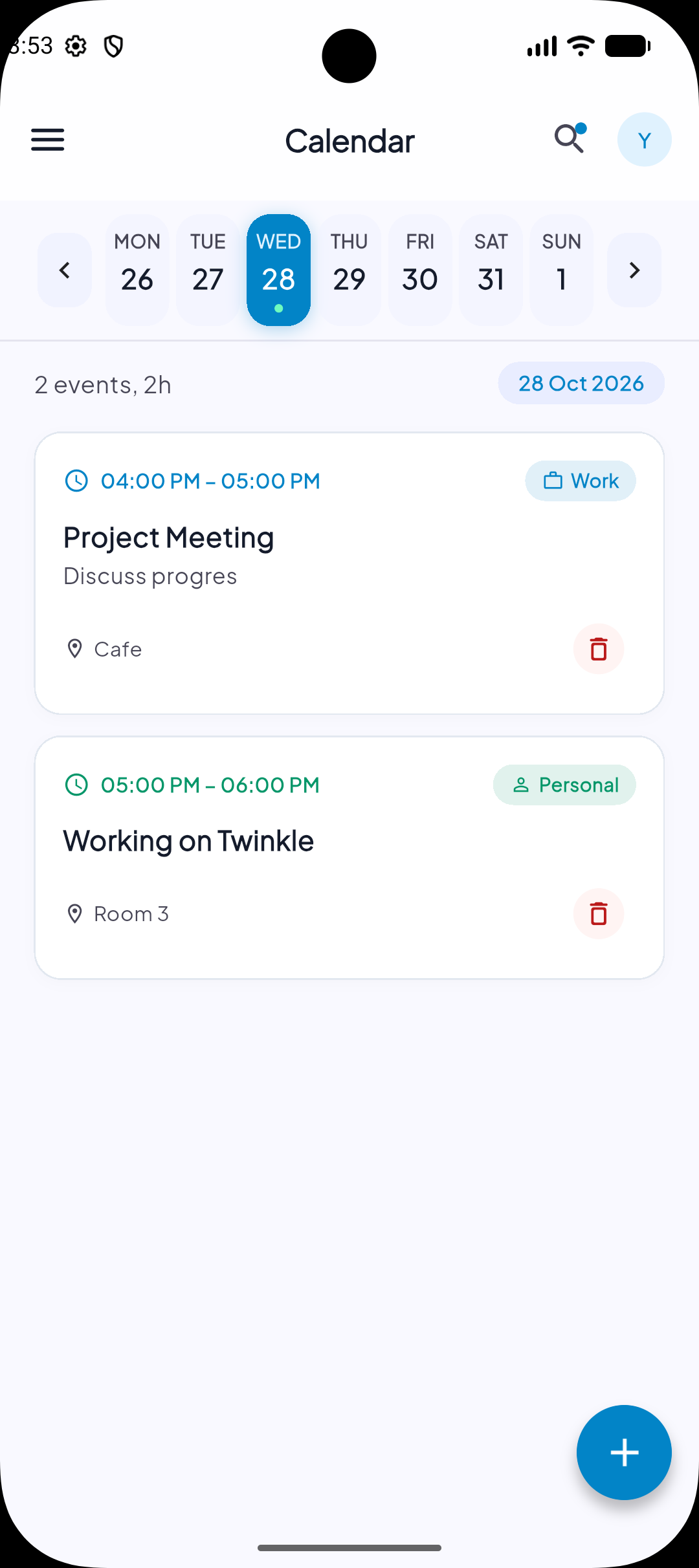
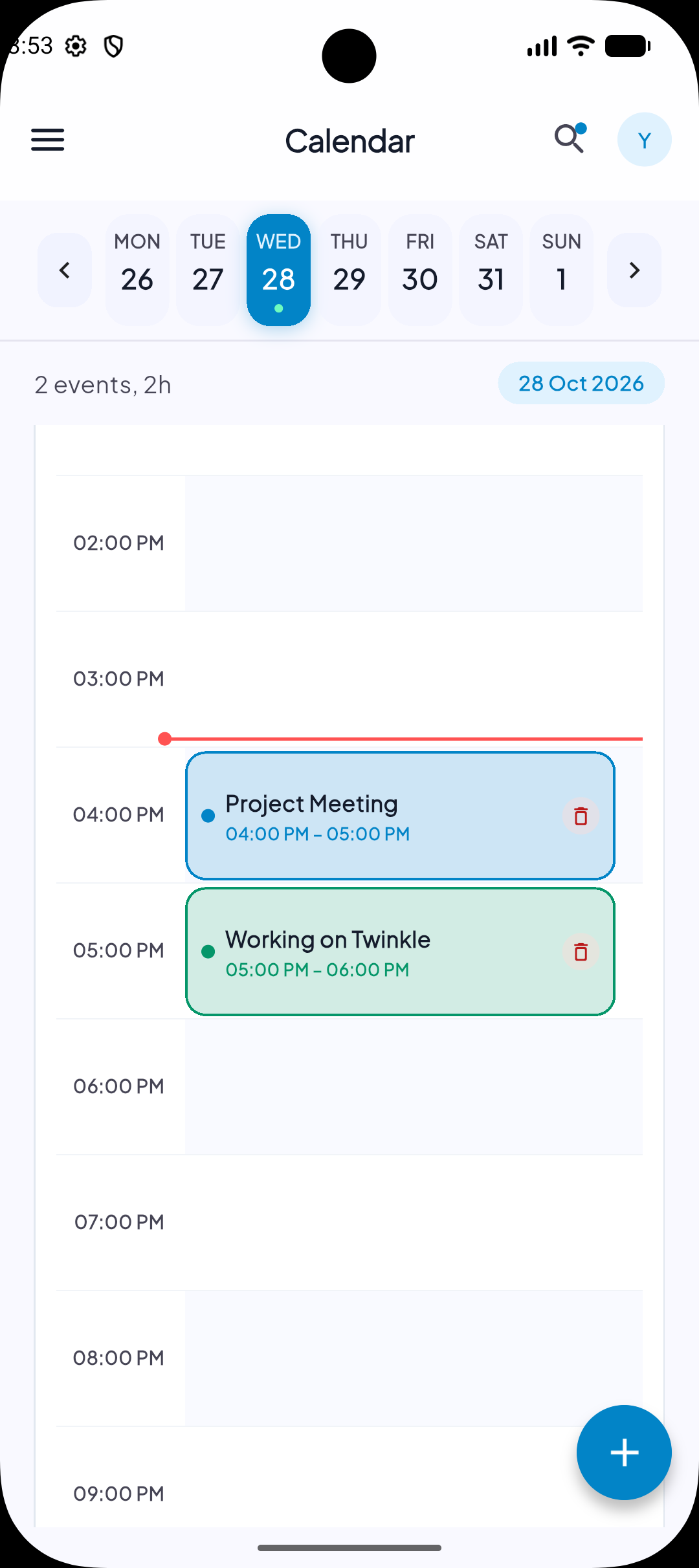
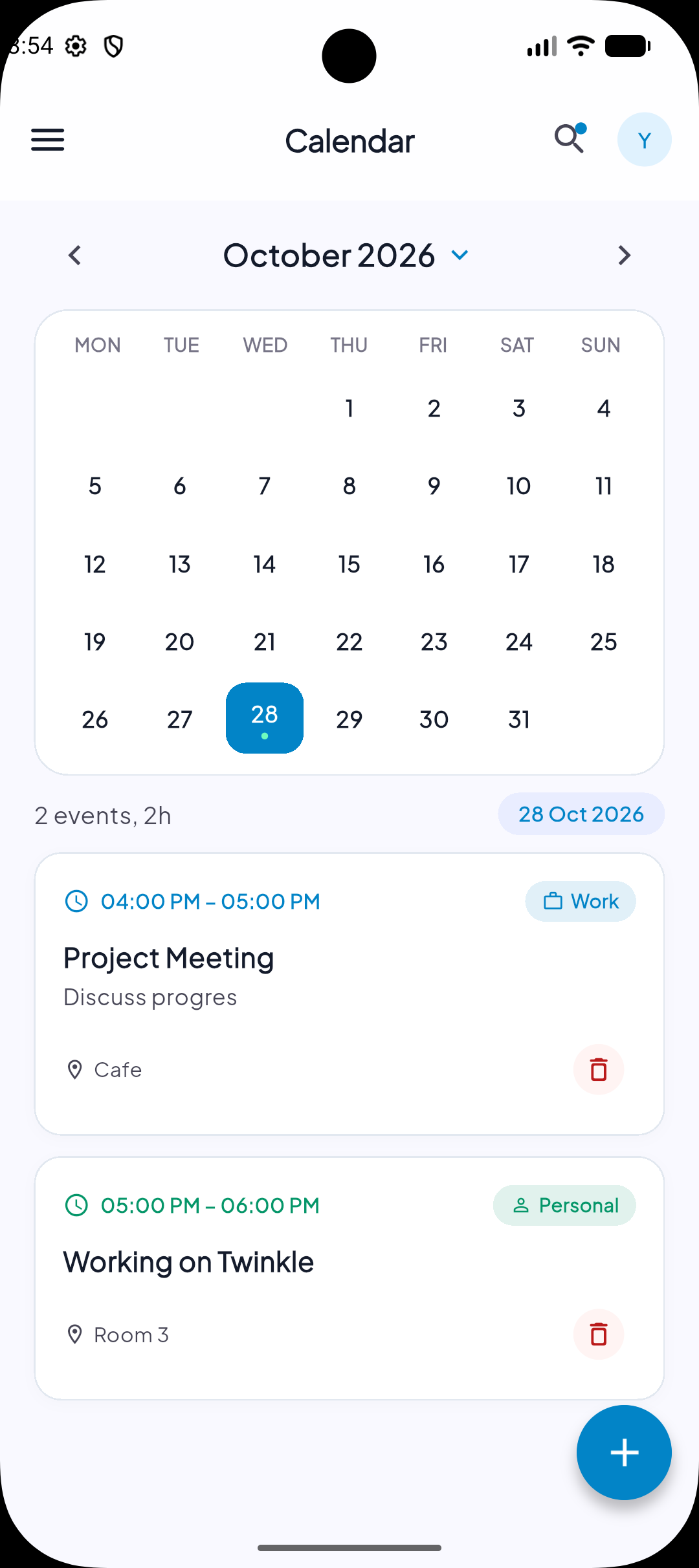
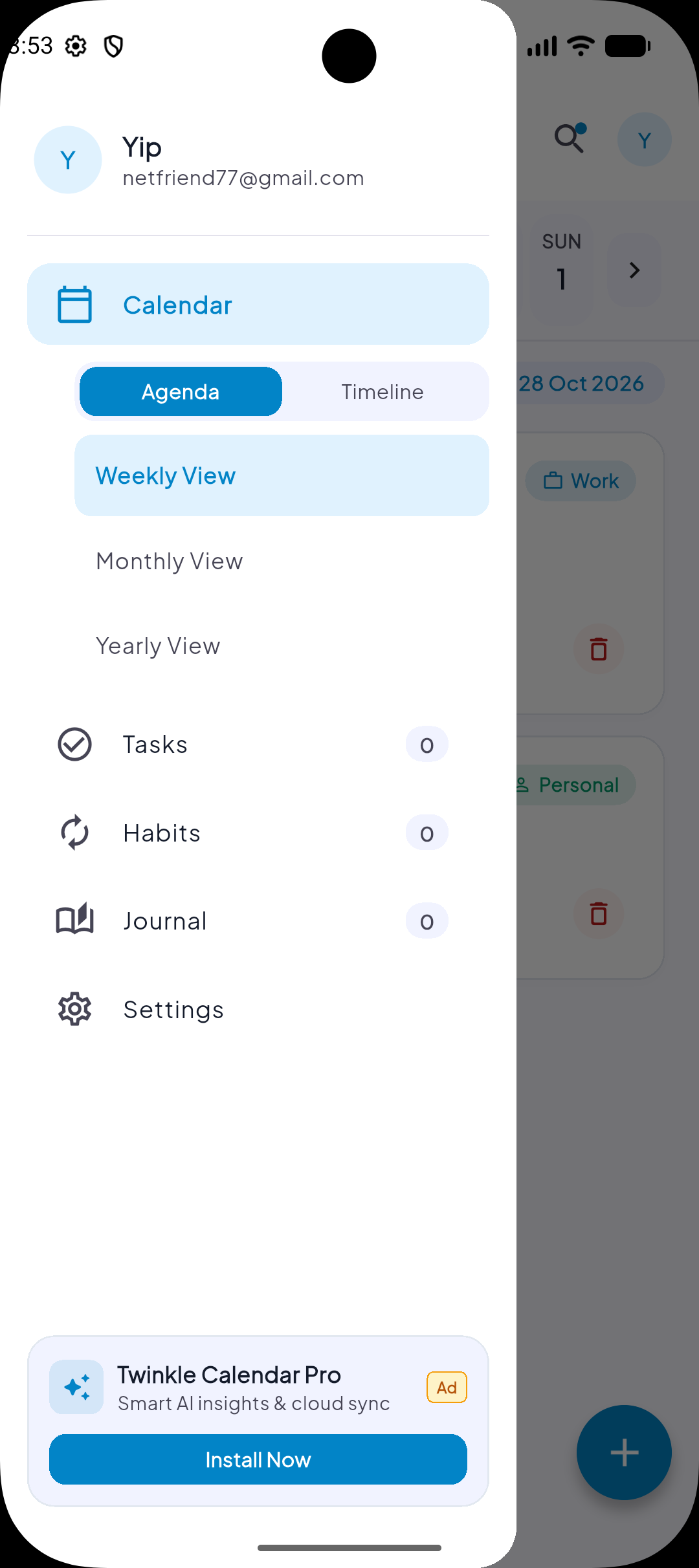
Explore every view—from 24-hour visual timelines and monthly agendas to habit streaks and one-tap quick creation.

Why Users Love Twinkle Calendar

Four Essential Productivity Tools. One Lightweight App.

Stop juggling separate apps for your calendar, to-do lists, habit tracking, and daily notes. Twinkle Calendar brings your entire day together.

01 • Calendar

Flexible Weekly, Monthly & Yearly Views

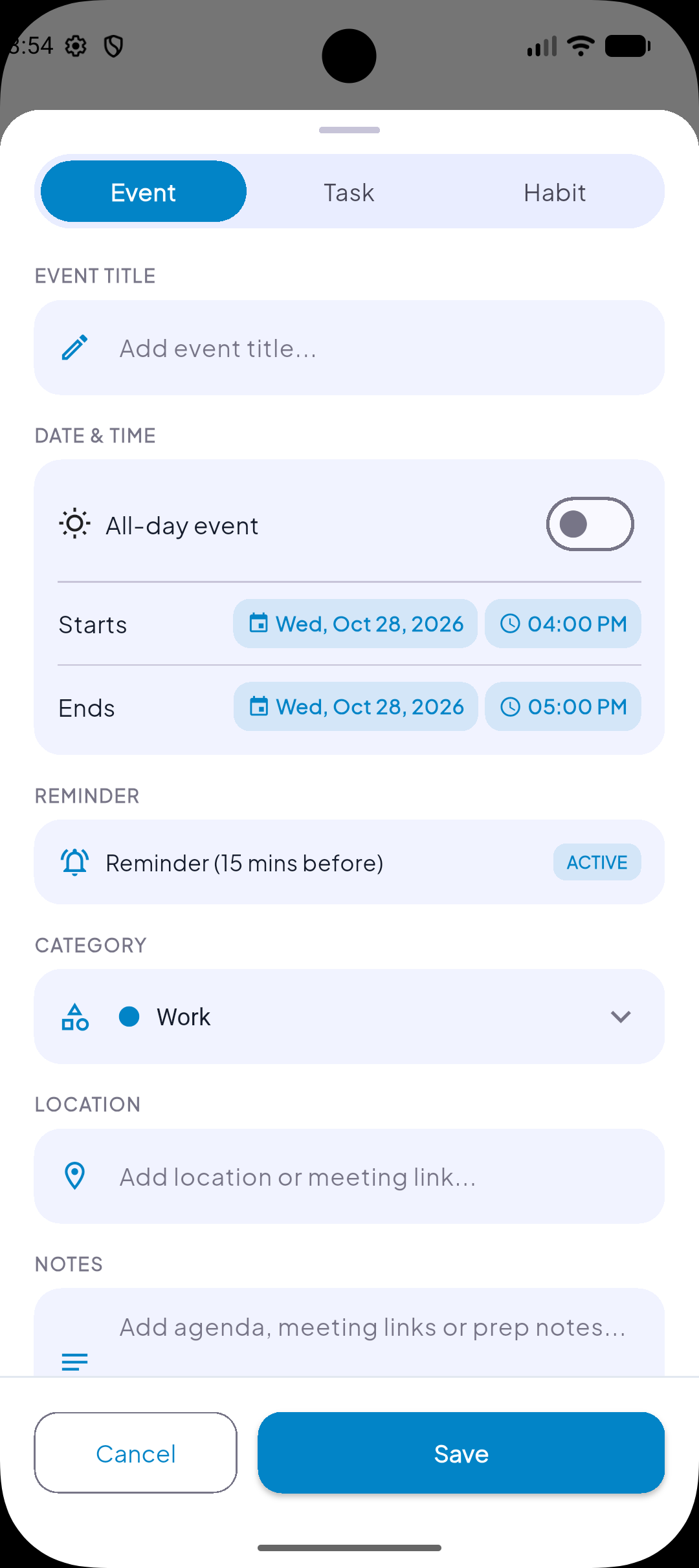
Switch effortlessly between a clean Agenda Card List and an interactive 24-Hour Timeline with a live current-time indicator. Plan timed meetings or all-day events with location tags, prep notes, and color-coded categories.

  • Weekly day-strip, full month grid, and 12-month yearly overview
  • Instant toggle between Agenda mode and 24-Hour Timeline mode
  • Configurable lead-time reminders (On time, 15m, 30m, 1h, or 1 day before)
02 • Tasks

Smart To-Do Lists & Daily Momentum

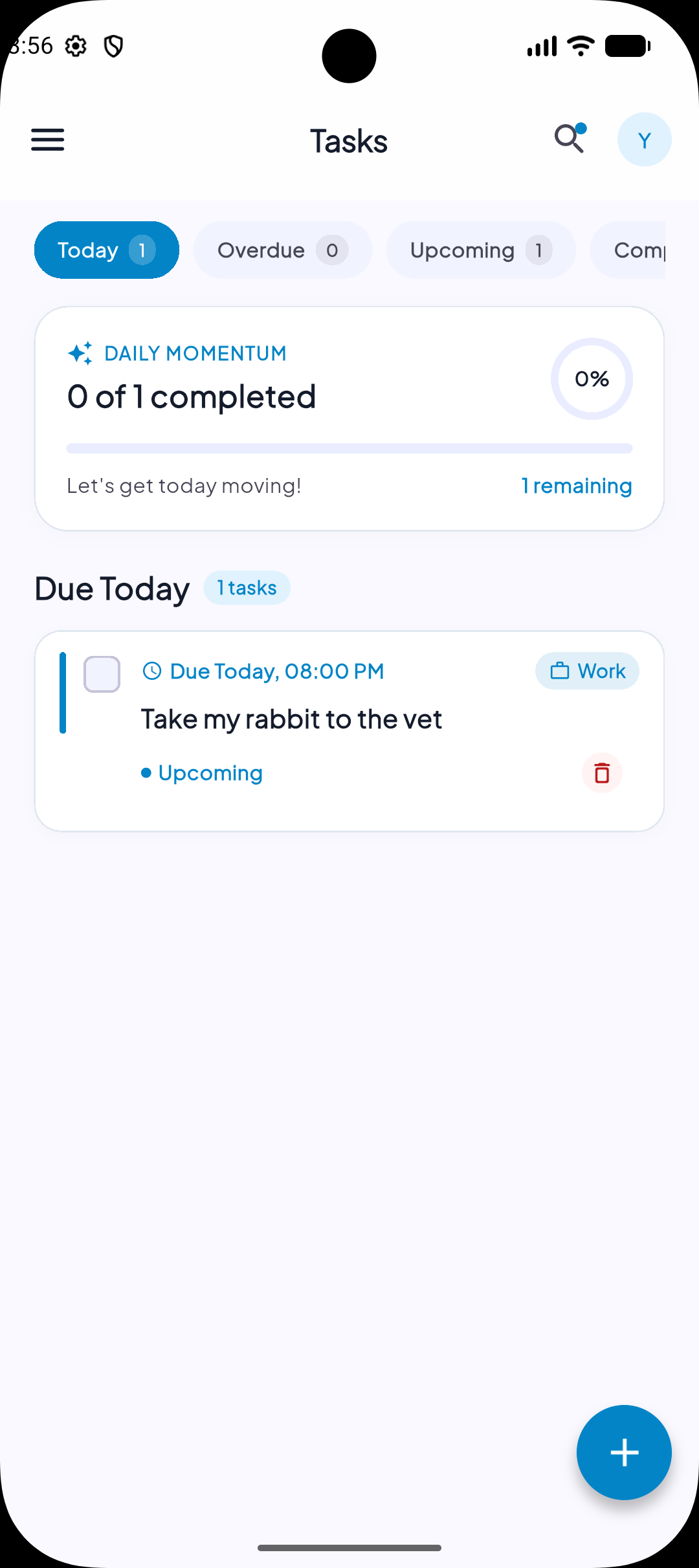
Stay focused on what matters right now. The built-in Daily Momentum card tracks your real-time completion percentage for the day, while smart filter tabs organize your workload automatically.

  • One-tap filters for Today, Overdue, Upcoming, and Completed
  • Visual circular progress ring that celebrates every completed task
  • Custom due dates, times, notes, and exact-time task notifications
03 • Habits

Daily Rituals & Streak Builder

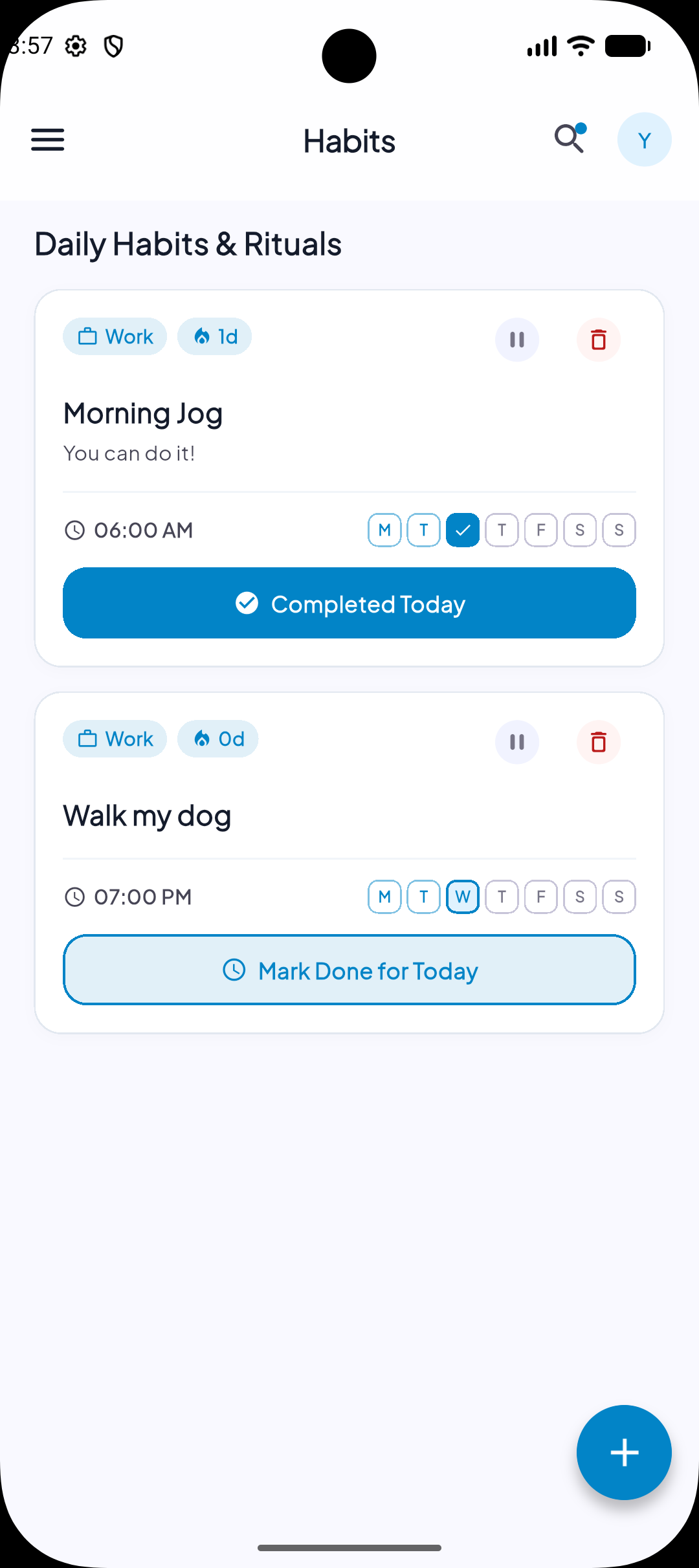
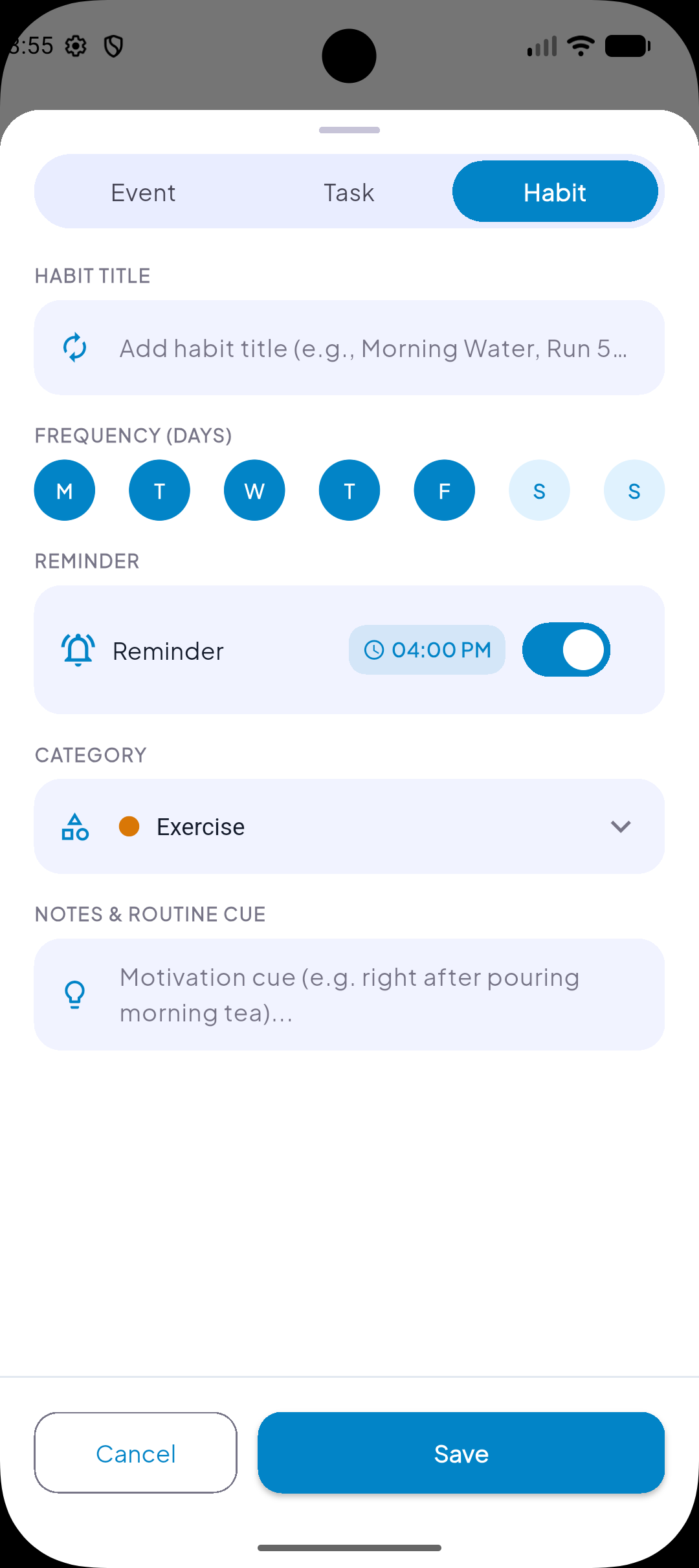
Turn positive routines into lasting habits. Choose specific weekdays (`M` `T` `W` `T` `F` `S` `S`), attach motivation cues, and build daily streaks with automatic midnight reset and flexible pause/resume controls.

  • Custom weekday frequency schedules and daily reminder times
  • Flame streak counter (`🔥`) to keep your momentum going
  • Pause habits anytime during vacations or busy weeks without losing setup
04 • Journal

Daily Reflections with Voice Dictation

Capture thoughts, gratitude, or meeting takeaways in seconds. Type or tap the microphone for hands-free Speech-to-Text Voice Dictation, organized neatly by month and year with instant keyword search.

  • Built-in voice-to-text dictation appends spoken words seamlessly
  • Focused 500-character daily micro-journaling that removes writer's block
  • Browse by month & year or search across all past entries instantly
☁️

Multi-Device Cloud Sync

Sign in with Google to synchronize your events, tasks, habits, categories, and journal entries across all your Android devices with automatic delta push/pull and Firebase push triggers.

⚡

Offline-First SQLite Engine

No internet? No problem. Every action saves locally in milliseconds via an on-device SQLite database and automatically syncs in the background once connectivity returns.

📱

Resizable Android Home Widget

Pin the 4×2 Twinkle Calendar widget to your Android home screen to view upcoming events and tasks at a glance without even opening the app.

🔔

Timezone-Aware Exact Alarms

Powered by native Android exact alarm scheduling and local timezone detection so you never miss an important meeting, deadline, or daily habit cue.

🏷️

Unified Color-Coded Categories

Organize your life with custom categories (Work, Personal, Errands, Exercise, and more) featuring custom colors and icons shared across events, tasks, and habits.

🔍

Instant Global Search

Find any event, task, habit, or journal reflection in a split second with context-aware search directly from the top bar.

About This App

Full Overview & Specifications

Version 1.0.0 • Android

Take control of your time, routines, and daily reflections with Twinkle Calendar — the all-in-one Android planner, to-do list, habit tracker, and voice journal designed for effortless daily clarity.

Whether you are coordinating busy work sprints, tracking personal errands, building a morning workout streak, or jotting down evening reflections, Twinkle Calendar replaces four cluttered apps with one fast, intuitive experience.

✨ Key Features at a Glance:

  • Multiple Calendar Views: Seamlessly switch between Weekly, Monthly, and Yearly views, each supporting both an easy-to-scan Agenda list and a 24-hour visual Timeline.
  • One-Tap Quick Create: Add a new Event, Task, or Habit from a single unified bottom sheet without losing your place.
  • Task Manager with Daily Momentum: Filter tasks by Today, Overdue, Upcoming, or Completed, and watch your Daily Momentum ring fill up as you check items off.
  • Habit Tracker & Streaks: Set custom weekday schedules, attach routine motivation cues, track consecutive day streaks, and pause habits whenever life gets busy.
  • Daily Journal with Voice Dictation: Record up to 500 characters of daily thoughts by typing or using built-in Speech-to-Text voice dictation.
  • Multi-Device Cloud Sync & Offline Reliability: Works 100% offline with instant local storage, and syncs seamlessly across your devices when signed in with Google.
  • Home Screen Widget: Keep your daily outlook front and center with a customizable, resizable Android home screen widget.
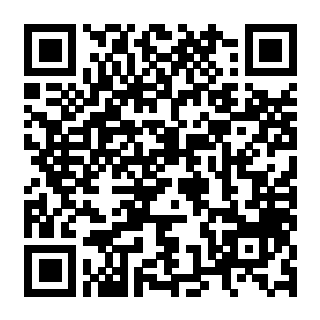
Ready to simplify your daily schedule? Scan with your camera or click to install directly from Google Play.
App Name Twinkle Calendar
Category Productivity / Planner
Platform Android (Phone & Tablet)
Developer Twinkle2u (admin@twinkle2u.com)
Got Questions?

Frequently Asked Questions

Quick, direct answers about planning, tasks, habits, and voice journaling in Twinkle Calendar.

What makes Twinkle Calendar different from standard calendar apps?

Unlike traditional calendar apps that only show appointments, Twinkle Calendar combines a full multi-view calendar (Day, Week, Month), a task manager with Daily Momentum progress tracking, a habit streak builder, and a daily reflection journal into a single unified workspace.

Can I use Twinkle Calendar offline?

Yes. Twinkle Calendar is built offline-first using a high-performance local SQLite database on your device. You can create, edit, and organize events, habits, and tasks without an active internet connection. When you reconnect, changes automatically sync seamlessly to the cloud.

How does the voice-to-text Daily Journal feature work?

In the Daily Journal sheet, you can either type your thoughts or tap the microphone icon for hands-free speech-to-text dictation. Audio is processed locally in real-time by Android's native speech recognition engine; raw audio recordings are never stored or uploaded.

Does Twinkle Calendar have a home screen widget?

Yes. Twinkle Calendar provides a 4x2 resizable Android home screen widget that displays your upcoming daily agenda, pending tasks, and habit status directly on your home screen without opening the app.

How is my personal planner data protected?

All events, tasks, habits, and journals are stored securely in local app storage and synced over encrypted HTTPS to our cloud servers. Twinkle2u never sells, rents, or shares your personal calendar or journal entries with third-party advertisers. You can also request complete account and data deletion at any time.

Data Safety & Transparency

Twinkle Calendar — Data Privacy Statement

Effective Date: October 2026 • Package: com.twinkle2u.twinklecalendar.twinkle_calendar

🛡️ Continuous Cloud Sync + Encrypted Storage

At Twinkle2u, we believe your schedule, tasks, personal habits, and daily reflections belong to you. This Data Privacy Statement explains how Twinkle Calendar stores, synchronizes, and protects your information both locally on your Android device and remotely on our cloud servers. All data collected is used strictly to provide and synchronize your planner experience and is never sold or disclosed to third parties.

1. Dual On-Device & Continuous Cloud Synchronization

Twinkle Calendar maintains a local SQLite database and Android SharedPreferences on your device for instant responsiveness, while automatically and continuously synchronizing your data with the Twinkle2u Cloud Server over encrypted HTTPS connections. Cloud synchronization is a core part of the service and runs continuously whenever your device has network connectivity so your schedule and records are always backed up and consistent across devices.

2. Types of Data Stored Remotely on Our Servers

To provide seamless backup and multi-device synchronization, the following records and fields are transmitted and stored remotely on our secure servers:

  • User Account & Authentication Data: Your email address, display name, authentication method (Email OTP or Google Sign-In), and session authentication token.
  • Device & Sync Metadata: A generated installation identifier, platform type, and Firebase Cloud Messaging token used to trigger real-time push synchronization across your devices.
  • Custom Categories: Category ID, name, tag, container & text color codes, icon code point, default duration, applicable item types, and update timestamps.
  • Calendar Events: Event ID, title, start & end timestamps, all-day flag, assigned category & color, location, description/prep notes, attendees, and update/deletion status.
  • Tasks (To-Do Items): Task ID, title, due date & time, completion status, workflow status, priority level, assignee, category ID/label/color, notes, and update/deletion status.
  • Habits & Streaks: Habit ID, title, scheduled frequency weekdays, target time of day, reminder enabled flag & reminder time, category & color, routine notes/cues, current streak count, last completed date, pause state, and update/deletion status.
  • Daily Journal Entries: Journal entry ID, entry date (YYYY-MM-DD), reflection text content, and update/deletion status.

3. Device Permissions & How They Are Used

  • Microphone: Used strictly on-demand when you tap the microphone button inside the Daily Journal sheet for speech-to-text voice dictation. Audio is processed in real time by your device's system speech recognizer to convert speech into text; raw audio is never recorded, stored, or uploaded to Twinkle2u servers (only the resulting journal text is synced).
  • Notifications & Exact Alarms: Used to trigger timely local reminders for your scheduled events, task deadlines, and daily habit cues, and to restore active alarms automatically after your phone restarts.
  • Network & Internet Access: Required for continuous server synchronization, account authentication, Firebase push sync triggers, and displaying banner advertisements.

4. Analytics, Diagnostics & Advertising

To keep Twinkle Calendar free and continuously improve app stability, the app integrates standard Google services:

  • Google AdMob: Displays banner advertisements within the app. AdMob may use your device's Advertising ID in accordance with your Android system ad-privacy settings and Google's Privacy & Terms.
  • Firebase Analytics & Cloud Messaging: Collects anonymized usage metrics (such as screen views and feature reliability) to help us diagnose issues and improve performance. Your personal events, tasks, habits, and journal entries stored on our servers are never shared with or disclosed to advertisers or third parties.