← Back to All Products
Tools & Utilities Android App 14+ Barcode Formats

QR Master: QR & Barcode Scanner & Generator Studio

Twinkle2u Studio • Contains ads • 100% Offline Local Privacy

Scan any QR code or retail/logistics barcode in milliseconds, generate 300 DPI vector codes across 14+ global standards, and organize your entire scan history with custom tags and instant high-res PNG export.

14+ 1D & 2D Formats
300 DPI Vector Preview
9 Types Smart QR Payloads
Everyone Content Rating
App Preview

Optical Precision for Everyday & Enterprise Barcoding

Explore live camera and gallery scanning, real-time 300 DPI vector code generation, detailed code inspection, and searchable history.

Why Users Choose QR Master

Fast Scanning. Industrial Symbologies. Crisp Export.

Engineered for consumers, retail teams, and logistics workflows that demand instant decoding and standards-compliant barcode generation.

01 • Optical Scanner

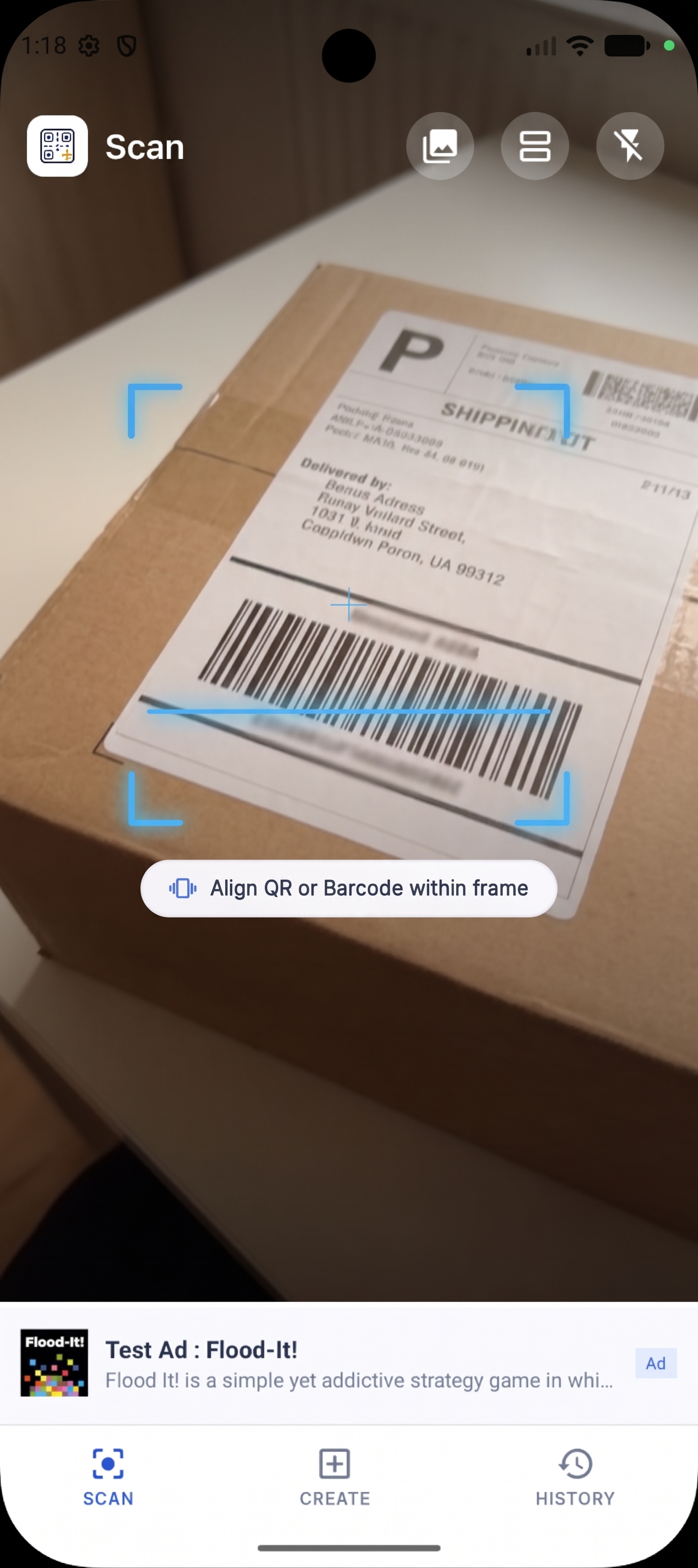
Live Camera, Gallery Import & Batch Mode

Point your camera at any shipping label, product box, or QR poster for instant recognition with tactile haptic confirmation. Need to scan dozens of inventory items in a row? Enable Continuous Batch Scan Mode to log codes back-to-back without interruption.

  • Live camera viewfinder with pinch-to-zoom and LED torch toggle
  • Scan directly from saved photos and screenshots in your gallery
  • Context-aware actions: open URLs, connect Wi-Fi, dial phone numbers, or launch maps
02 • Smart QR Studio

9 Structured QR Code Payload Builders

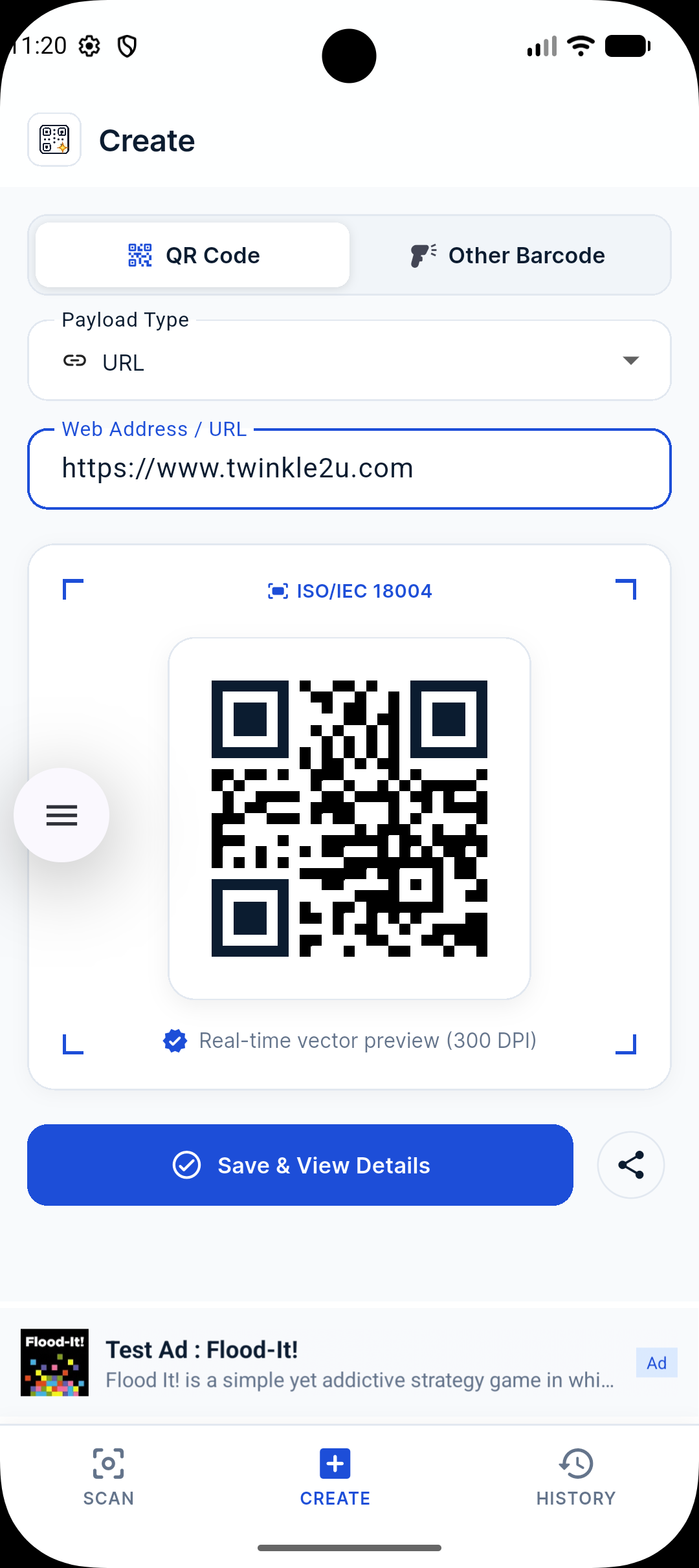
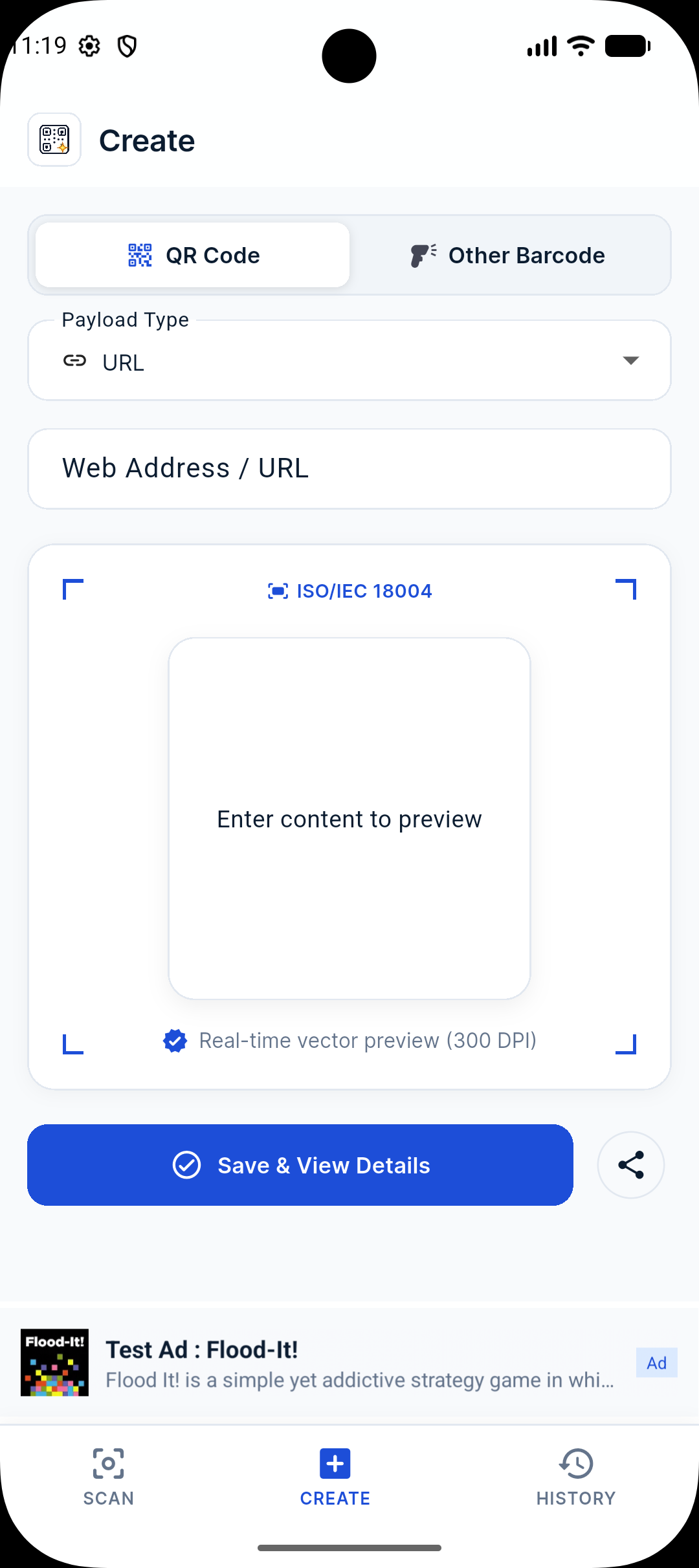
Create standards-compliant ISO/IEC 18004 QR codes with real-time 300 DPI vector preview. Dedicated form builders format complex payloads automatically—no manual syntax required.

  • Wi-Fi Access: SSID, Password & WPA/WPA2/WEP encryption
  • vCard Contact & iCal Event: Full contact cards & calendar invites
  • URL, Text, Email, SMS, Phone & GPS Location coordinates
03 • Multi-Standard Barcodes

14+ Retail, Logistics & 2D Formats

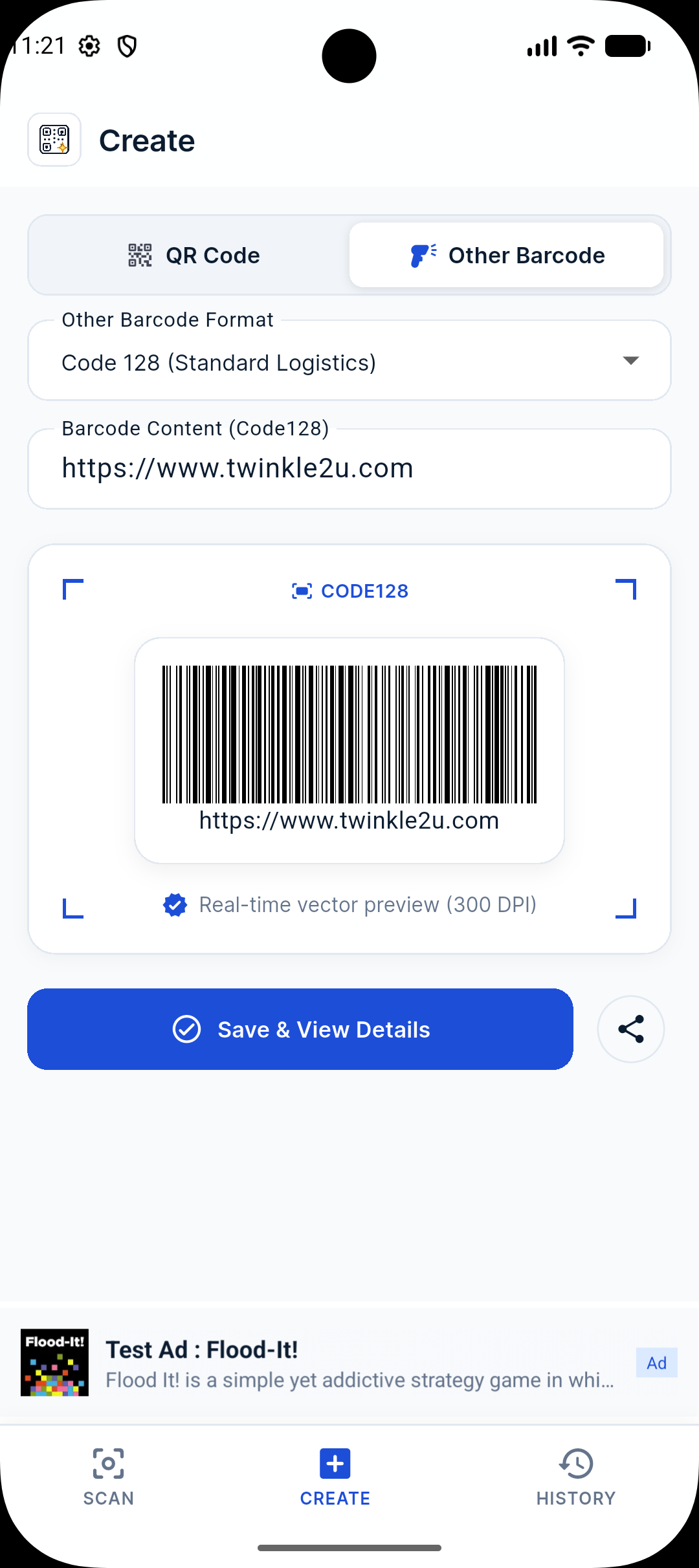
Go beyond basic QR codes. QR Master includes a full industrial barcode encoder with automatic checksum calculation and format validation hints.

  • Retail & Books: EAN-13, EAN-8, UPC-A, UPC-E, ISBN
  • Logistics & Supply Chain: Code 128, GS1-128, Code 39, Code 93, ITF, ITF-14, Codabar
  • High-Density 2D: PDF417, Aztec, and Data Matrix
04 • Inspect, Organize & Export

Smart History, Custom Tags & PNG Export

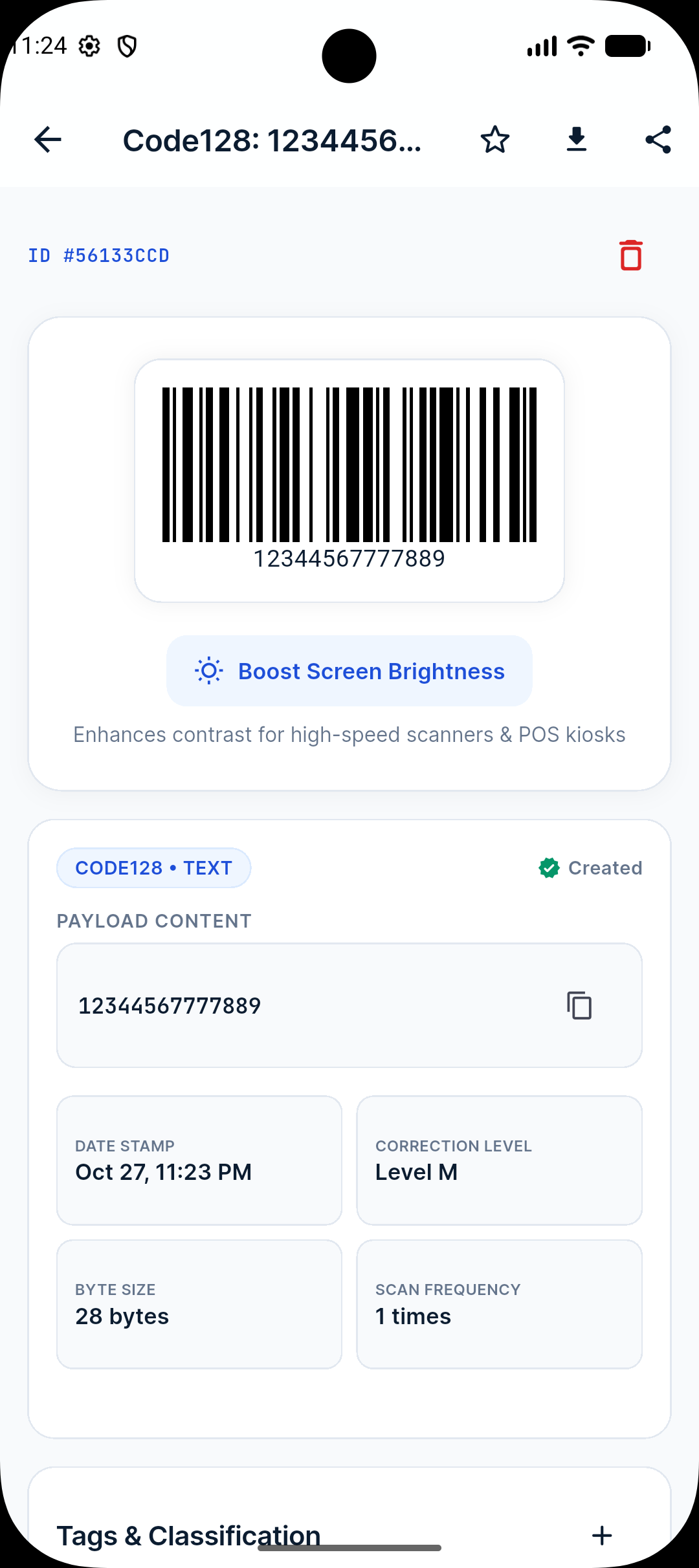
Every scanned or created code opens a detailed inspection card displaying payload content, byte size, error correction level, and scan frequency—with one-tap PNG gallery download and native sharing.

  • Export crisp high-resolution PNG cards to your gallery or share sheet
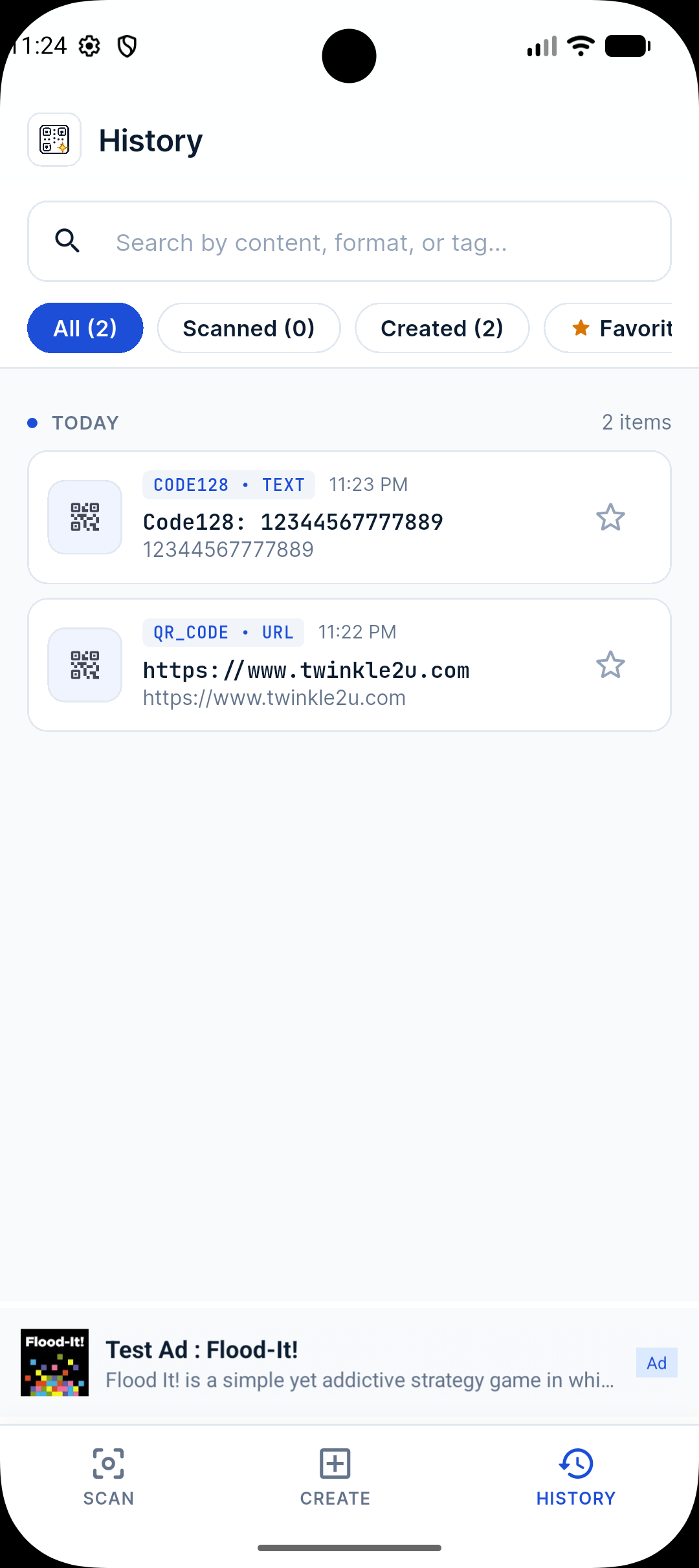
  • Organize history by Scanned, Created, Favorites ★, and custom tags
  • Inspect payload type, symbology standard, byte size, and scan count
⚡

Smart Context Actions

Automatically detects URLs, Wi-Fi credentials, vCards, emails, phone numbers, and geo-coordinates so you can launch the right action immediately after scanning.

📦

Continuous Batch Scanning

Toggle Batch Mode in the top bar to scan multiple parcels, SKUs, or tickets consecutively with instant floating confirmation and automatic duplicate protection.

🖼️

High-Resolution PNG Export

Renders clean, print-ready PNG barcode and QR cards with proper quiet-zone margins and human-readable captions—ready to save to your device or share with teammates.

🏷️

Custom Tags & Smart History

Group your history by Today, Yesterday, or date; filter by Scanned, Created, or Favorites; and attach custom classification tags like "Work", "Invoice", or "Warehouse".

📊

Deep Payload Telemetry

Inspect exact symbology standard, payload type, byte length, error correction level, creation timestamp, and cumulative scan count for every item.

🔒

100% On-Device SQLite Privacy

All scanned and generated codes are stored locally on your Android device in a fast SQLite database—works completely offline in warehouses, basements, and airplanes.

About This App

Full Overview & Specifications

Version 1.0.0 • Android

Meet QR Master — the fast, optical-precision QR code scanner, multi-standard barcode generator, and history manager built for Android.

Whether you need to scan a restaurant menu, connect to a guest Wi-Fi network, verify warehouse Code 128 & EAN-13 labels, or generate print-ready 300 DPI QR codes for your business, QR Master delivers instant performance in a clean, distraction-free interface.

✨ Key Features at a Glance:

  • Ultra-Fast Camera & Gallery Scanner: Decode QR codes and barcodes in milliseconds using your live camera (with pinch-to-zoom and flashlight control) or import existing images directly from your photo gallery.
  • Continuous Batch Scan Mode: Scan dozens of inventory labels or event tickets in rapid succession without leaving the viewfinder.
  • 9 Smart QR Payload Builders: Easily generate QR codes for Website URLs, Plain Text, Wi-Fi Networks (WPA/WPA2/WEP), vCard Contacts, Calendar Events, Email (To/CC/BCC/Subject), SMS, Phone Numbers, and GPS Coordinates.
  • 14+ Industrial Barcode Standards: Generate 1D and 2D barcodes with real-time 300 DPI vector preview—including Code 128, GS1-128, EAN-13, EAN-8, UPC-A, UPC-E, ISBN, Code 39, Code 93, ITF, ITF-14, Codabar, PDF417, Aztec, and Data Matrix.
  • High-Res PNG Save & Share: Export crisp barcode and QR cards directly to your Android photo gallery or share via email, messaging apps, and cloud drives.
  • Searchable History & Custom Tags: Filter by Scanned, Created, or Favorites, attach custom classification tags, and search by content, symbology, or tag instantly—all stored 100% offline on your device.
Ready for optical precision scanning? Scan with your camera or click to install directly from Google Play.
App Name QR Master
Category Tools / Utilities
Platform Android (Phone & Tablet)
Developer Twinkle2u (admin@twinkle2u.com)
Got Questions?

Frequently Asked Questions

Quick answers about optical scanning, 14+ barcode formats, 300 DPI vector generation, and offline security in QR Master.

Which barcode formats can QR Master scan and generate?

QR Master supports over 14 global 1D and 2D symbologies, including QR Code, Micro QR, Data Matrix, Aztec, PDF417, EAN-13, EAN-8, UPC-A, UPC-E, Code 128, Code 39, Code 93, Codabar, ITF-14, and GS1-128.

Can QR Master scan codes from photos and screenshots in my gallery?

Yes. Tap the Gallery icon on the scanner screen to select any image or screenshot from your device. The optical engine analyzes the picture locally and decodes any contained QR codes or barcodes in milliseconds.

What kinds of custom QR codes can I create with QR Master?

QR Master includes 9 smart payload generators: Wi-Fi network credentials (WPA/WPA2/WPA3), vCard digital business cards, website URLs, SMS templates, Email messages, Phone dials, Geo coordinates, Calendar events, and Plain text.

Can I export high-resolution barcodes for printing or graphic design?

Yes. QR Master renders sharp 300 DPI vector previews with adjustable error correction (L, M, Q, H). You can save or share high-resolution PNG barcode cards with optional formatted headers and metadata footers.

Does QR Master upload my scanned barcodes to the cloud?

No. QR Master is 100% offline-first and private. Camera frames are processed ephemerally in device memory and immediately discarded. All scanned codes, generated barcodes, and custom tags are stored locally in your device's private SQLite database (qr_master.db).

Data Safety & Transparency

QR Master — Data Privacy Statement

Effective Date: October 2026 • Package: com.twinkle2u.twinkleqrmaster.qr_master

🔒 100% On-Device Barcode Storage

At Twinkle2u, we engineered QR Master so that sensitive codes you scan or create—such as Wi-Fi credentials, vCard contact details, business URLs, and warehouse inventory barcodes—remain strictly under your control. This Data Privacy Statement outlines how QR Master handles permissions and data on your Android device.

1. 100% Local On-Device Storage

QR Master does not require user registration, login accounts, or cloud servers. All scanned barcodes, generated QR codes, custom classification tags, favorite flags, and scan counters are stored exclusively on your Android device inside a local SQLite database (qr_master.db). Your scanned or generated code payloads are never uploaded, transmitted, or backed up to Twinkle2u servers.

2. Camera Permission & Ephemeral Optical Processing

  • Camera Access (android.permission.CAMERA): Used strictly in real time when the Scanner tab is active to detect and decode 1D barcodes and 2D QR codes through your device's camera viewfinder.
  • No Video or Photo Recording: Live camera frames are analyzed ephemerally in device memory by the on-device barcode recognition engine and are immediately discarded. QR Master never records video, captures hidden photographs, or transmits camera streams off your device.

3. Photo Gallery Import & PNG Export

  • Scanning from Gallery: When you tap the Gallery button to decode a QR code or barcode from an existing screenshot or photo, QR Master uses the system photo picker to read only the single image you explicitly select.
  • Saving & Sharing PNG Cards: When you tap Save or Share on a code details screen, QR Master renders a high-resolution PNG barcode card locally and either writes it to your device's Pictures/QR Master album via Android MediaStore or passes it to the native Android Share sheet at your direction.

4. Context Actions & Third-Party Advertising

  • User-Initiated External Actions: When you tap an action button on a decoded result (such as opening a URL in your browser, dialing a phone number, launching an email draft, or opening GPS coordinates in Maps), the payload is handed off directly to the corresponding app on your device only after your explicit tap.
  • Google AdMob Advertising: To keep QR Master free to use, the app displays banner and native advertisements powered by Google AdMob. AdMob may access your device's Advertising ID and coarse network state to serve ads and prevent fraud in accordance with your Android system ad-privacy controls and Google's Privacy & Terms.