← Back to All Products
ShareIt App Icon
Productivity & Tools Android App Google Drive Cloud Sync

ShareIt: Universal Share Hub, Link Previews & Cloud Sync

Twinkle2u Studio • Contains ads • Google Drive Multi-Device Sync

Share text snippets, web links, photos, videos, and documents from any Android app directly into one organized, searchable hub—complete with live website visual previews, source-app attribution, custom tags, and automatic backup to your personal Google Drive.

4-in-1 Text, Links, Media & Files
Auto Source App Detection
Drive Personal Cloud Sync
Everyone Content Rating
App Preview

One Tap from Any App. Organized Forever.

Explore how ShareIt captures web links with live page snapshots, editable text clippings, high-res images, and office documents or videos.

Why Users Love ShareIt

Never Lose an Important Link, Quote, Photo, or File Again.

Instead of messaging yourself or cluttering bookmarks across dozens of apps, just tap Share → ShareIt from any Android app.

01 • Universal Share Target

Capture Anything from Any Android App

ShareIt integrates directly into the native Android Share sheet for single or multiple items. Whether you are browsing in Chrome, chatting in WhatsApp, or reviewing photos and slides, one tap saves it to your hub.

  • Automatic classification into Text, Links, Images, and Files & Videos
  • Source App Attribution: Automatically records which app (e.g., Chrome, Photos, Files) each item was shared from
  • Persistent local storage ensures files stay safe even if the original app clears its cache
02 • Smart Links & Text

Live Website Snapshots & Editable Clippings

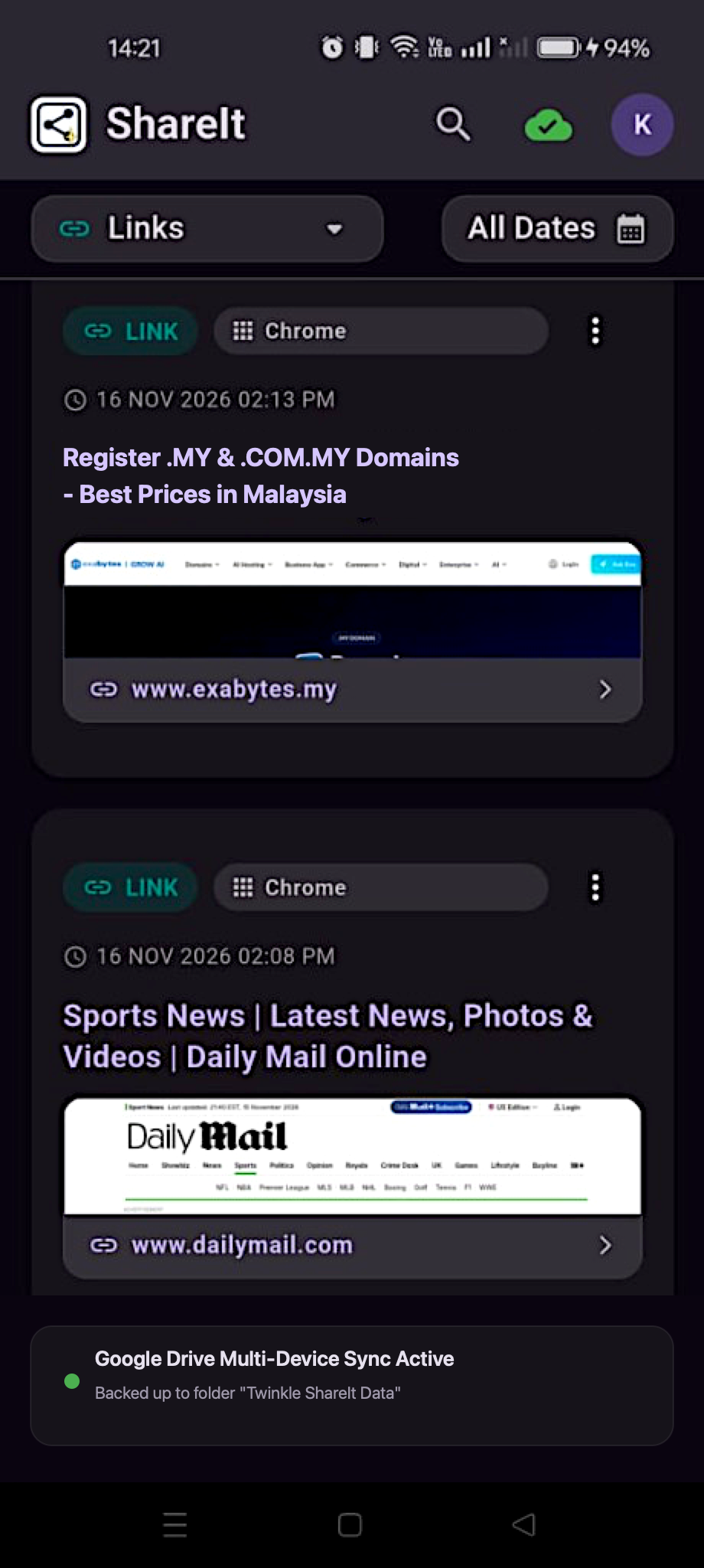
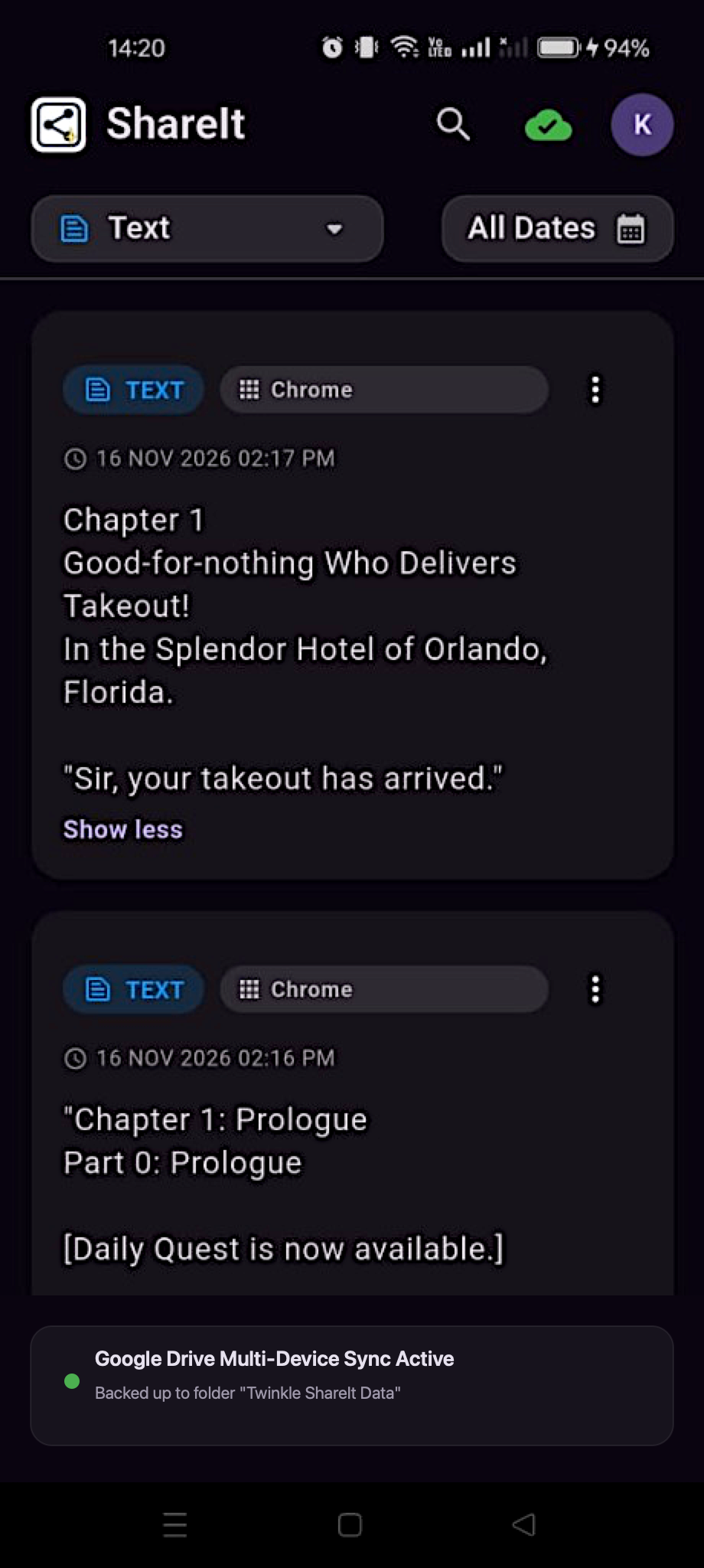
Shared URLs are automatically enriched with the webpage's real title and a visual webpage thumbnail preview. Shared text passages can be expanded, copied in one tap, or edited inline anytime.

  • Automatic HTML title extraction and visual website snapshot cards
  • Inline text editor to refine quotes, reading excerpts, or quick notes
  • One-tap clipboard copy and direct browser launch
03 • Media, Videos & Office Files

Rich Previews, Built-In Reader & Gallery Export

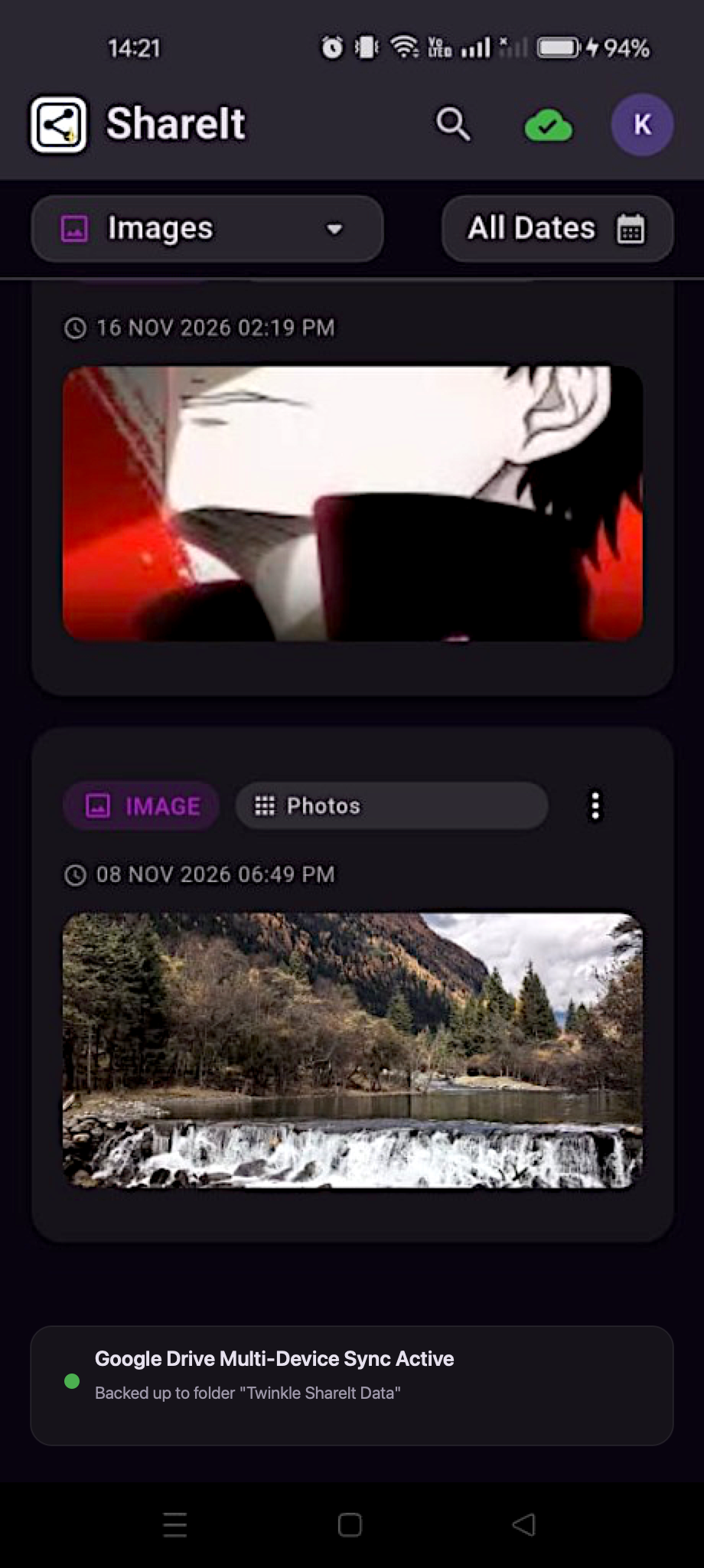
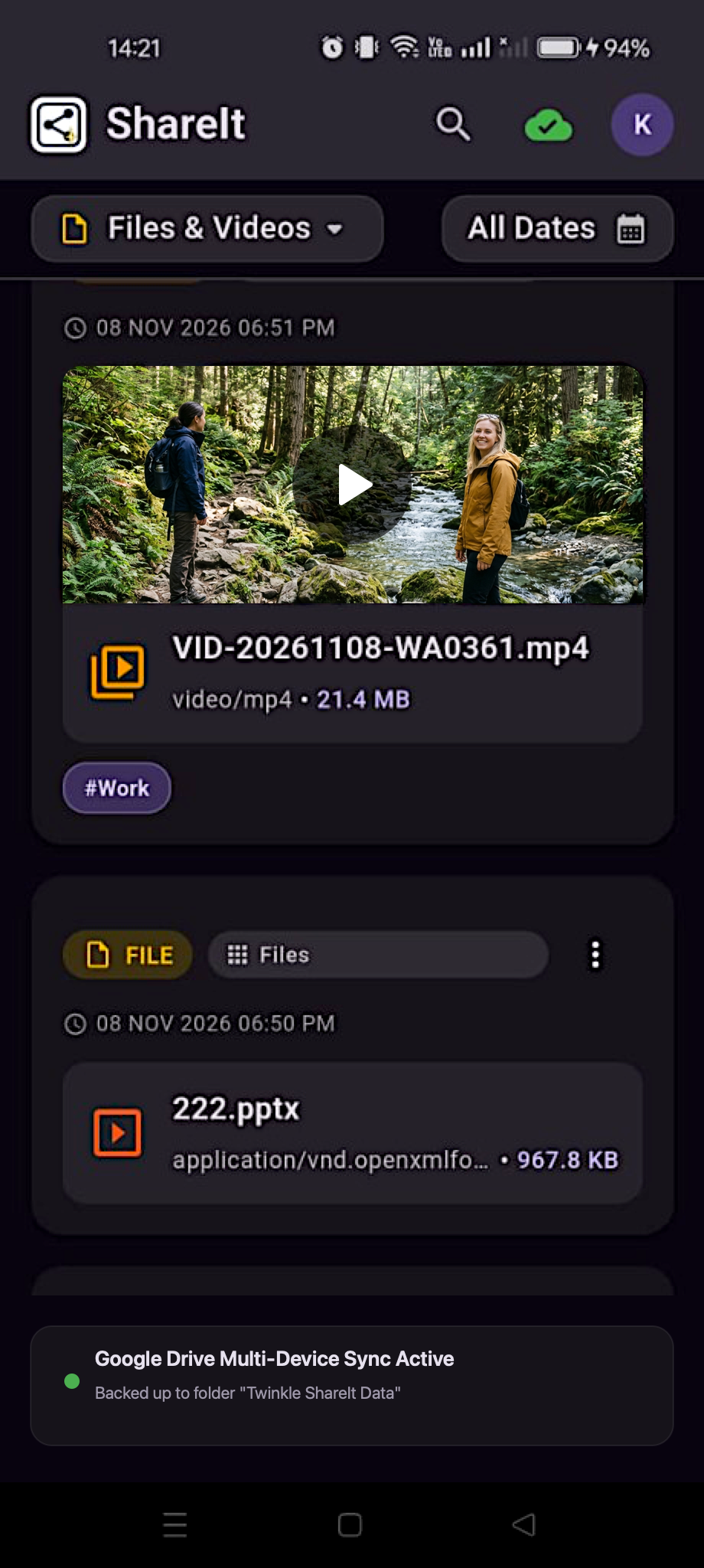
View high-resolution image cards, video thumbnails with file size telemetry, and color-coded document cards for PDFs, PowerPoint (`.pptx`), Word (`.docx`), Excel (`.xlsx`), and code/text files.

  • Built-in monospace reader modal for `.txt`, `.md`, `.json`, `.csv`, and `.log` files
  • Save shared images directly to your phone's Photo Gallery or export files to Downloads
  • Instant native file opening with automatic MIME-type recognition
04 • Personal Google Drive Sync

Your Own Cloud Folder. Synced Across Devices.

Enable Multi-Device Cloud Sync to automatically back up and merge your shared items, tags, and files into a dedicated "Twinkle ShareIt Data" folder inside your own Google Drive.

  • Smart Read-Merge-Write synchronization across your phones, tablets, and PCs
  • Access your shared files directly from Google Drive on any computer
  • Custom hashtag tags (`#Work`, `#Personal`, `#Important`, `#Read Later`) & Month/Year filter
📲

Source App Tracking

Automatically detects and displays the originating app badge (such as Chrome, Photos, or Files) and exact timestamp on every card.

☁️

User-Owned Google Drive

All synced metadata and binary files are stored in your personal Google Drive under "Twinkle ShareIt Data" for complete transparency and desktop access.

🏷️

Custom Hashtag Tagging

Organize any shared item with preset or custom tags (#Work, #Personal, #Important, #Project) that sync seamlessly across devices.

📅

Month & Year Time Machine

Filter your feed by content category and jump to any specific Month & Year (or All Dates) to locate past shares effortlessly.

🔍

Deep Instant Search

Search simultaneously across text content, webpage titles, filenames, file extensions, originating source apps, and assigned `#tags`.

📄

Built-In Document Inspector

Preview `.txt`, `.csv`, `.json`, `.md`, and `.log` files right inside the app with selectable monospace text and one-tap copy.

About This App

Full Overview & Specifications

Version 1.0.0 • Android

Meet ShareIt — your personal Android share hub and cross-device content vault built for speed, organization, and effortless recall.

Every day we come across inspiring articles, important text excerpts, reference photos, videos, and work documents across dozens of different apps. Instead of emailing links to yourself or losing files in cluttered chat threads, simply tap Share → ShareIt from any app on your phone.

✨ Key Features at a Glance:

  • One-Tap Sharing from Any App: Receive single or multiple text snippets, URLs, photos, videos, and documents directly from Chrome, browsers, messengers, galleries, and file managers.
  • Automatic Categorization & Source Badges: Automatically sorts incoming shares into Text, Links, Images, and Files & Videos, while tagging each card with the exact source app and timestamp.
  • Visual Link Previews: Automatically fetches webpage titles and renders live website snapshot previews so you can visually recognize saved links at a glance.
  • Inline Text Editing & Built-In File Viewer: Edit saved text clippings in place, expand or collapse long passages, and inspect text/code documents inside a built-in monospace viewer.
  • Custom Hashtags & Date Filtering: Tag items with `#Work`, `#Personal`, `#Important`, `#Read Later`, or your own custom tags, and filter by Month & Year or global keyword search.
  • Google Drive Multi-Device Sync: Optionally connect your Google account to back up and synchronize your entire library (including binary files) inside the Twinkle ShareIt Data folder in your own Google Drive.
App Name ShareIt
Category Productivity / Tools
Platform Android (Phone & Tablet)
Developer Twinkle2u (admin@twinkle2u.com)

Got Questions?

Frequently Asked Questions

Everything you need to know about capturing content, link previews, and personal Google Drive sync in ShareIt.

How do I save content into ShareIt from other apps?

From any Android app—such as Chrome, Twitter/X, WhatsApp, Gallery, or Files—tap the system Share button and select ShareIt. The app automatically receives the content, classifies it into Text, Links, Images, or Files & Videos, records the originating source app, and saves it instantly.

How do visual webpage link previews work?

When you share a web URL to ShareIt, the app automatically fetches the page title and captures a visual snapshot preview of the destination site. You can recognize bookmarks visually at a glance instead of staring at plain raw URLs.

How does Google Drive Cloud Sync work in ShareIt?

When you enable Multi-Device Cloud Sync with your Google account, ShareIt automatically synchronizes your metadata and files to a dedicated folder named Twinkle ShareIt Data in your own Google Drive. ShareIt only accesses this dedicated folder and cannot read any other personal files in your Drive.

Can I edit saved text notes and organize items with custom hashtags?

Yes. You can edit saved text clippings directly inline, preview document files in a built-in monospace reader, and assign custom hashtags like #Work, #Personal, or #Ideas to filter items quickly by tag, month, or search keywords.

Does ShareIt share or sell my saved data?

No. All saved clippings, bookmarks, images, and documents are stored privately in your device's local application storage and, if enabled, uploaded directly to your own Google Drive. Twinkle2u never sells, rents, or accesses your personal files.

Data Safety & Transparency

ShareIt — Data Privacy Statement

Effective Date: November 2026 • Package: com.twinkle2u.twinkleshareit.share_it

🛡️ Local Storage + Personal Google Drive Sync

At Twinkle2u, we designed ShareIt so that every text clipping, web link, image, video, and document you save remains under your personal control. This Data Privacy Statement explains how ShareIt handles authentication, local files, and optional Google Drive synchronization.

1. Account Authentication & Local Storage

  • User Sign-In: ShareIt authenticates your session via Email OTP or Google Sign-In using your email address and display name.
  • On-Device Vault: All shared text snippets, URLs, custom tags, and copied media/document files are stored locally inside your device's private application storage and Android SharedPreferences so they remain accessible offline.

2. Optional Personal Google Drive Sync

When you enable Multi-Device Cloud Sync, ShareIt uses the restricted Google Drive scope to sync your data directly to your own Google Drive account:

  • Dedicated Folder Only: ShareIt creates and accesses only the Twinkle ShareIt Data folder (plus your shared files inside it) in your Google Drive. It cannot read or access any other personal files in your Google Drive.
  • Direct Device-to-Drive Transfer: Your shared files and backup metadata are uploaded directly between your device and your personal Google Drive over HTTPS—never stored on third-party file servers.

3. Device Permissions & Link Previews

  • Media & Storage Access: Used strictly to receive files shared into ShareIt via the Android Share sheet and to let you save shared images or files back to your phone's Gallery or Downloads folder.
  • Webpage Titles & Snapshots: When you share a web URL, ShareIt fetches the public webpage title and requests a thumbnail preview so your link card is easy to recognize.

4. Advertising & Zero Third-Party Data Sale

  • Google AdMob: Displays a native banner advertisement at the bottom of the screen. AdMob may use your device's Advertising ID in accordance with your Android system ad-privacy settings and Google's Privacy & Terms.
  • No Disclosure of Shared Content: Your saved notes, links, photos, and documents are never sold, rented, or disclosed to third parties.